# Rendering emoji
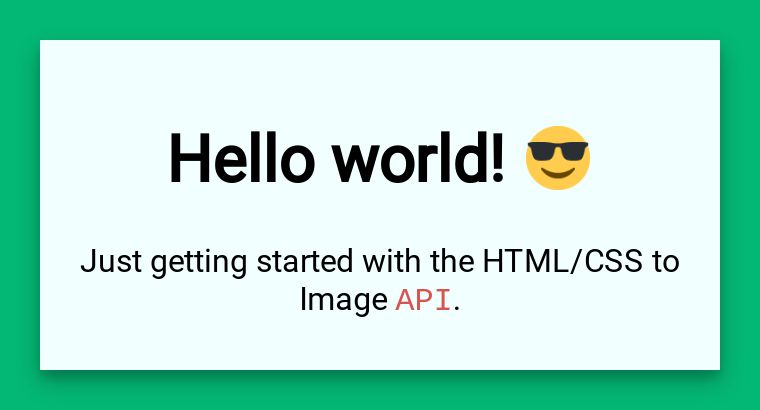
HTML/CSS and template images use Twemoji by default for consistent emoji rendering. URL images use the loaded page’s own emoji handling unless you explicitly enable Twemoji.
## How it works
[Twemoji](https://github.com/jdecked/twemoji) replaces emoji text with images in HTML/CSS and template renders by default. URL renders leave the loaded page unchanged unless `disable_twemoji` is explicitly `false`.
## `emoji` class
Twemoji replacement images have an `emoji` class, which you can style.
Here is the default CSS we apply to all emoji. To make tweaks, adjust it and include it in your CSS to override the defaults.
```css
/* Take advantage of the built in 'emoji' class to modify the display of emoji */
img.emoji {
height: 2em;
width: 2em;
margin: 0 .05em 0 .1em;
}
```
## Disabling Twemoji
For HTML/CSS and template images, set `disable_twemoji: true` to use your supplied fonts or the rendering environment’s native emoji fonts instead of Twemoji. For URL images, omission, `null`, and `true` leave the loaded page’s emoji handling unchanged. Set `disable_twemoji: false` to inject Twemoji into a URL page. `true` does not disable the website’s own emoji scripts. See the [`disable_twemoji` parameter guide](/parameters/disable_twemoji/) for the full value table.
### When to disable Twemoji
* You’re using a custom emoji font
* You prefer the native system (linux) emoji appearance
### Example
```json
{
"html": "Hello 👋 World 🌍
",
"disable_twemoji": true
}
```
Native emoji fonts
When Twemoji is disabled, emoji appearance depends on the fonts available in the rendering environment.
## Need help?
Talk to a human. Email [support@htmlcsstoimage.com](mailto:support@htmlcsstoimage.com) and we’ll help you get started.