
URL to Image
The high resolution screenshot API you’ve been searching for.
Get an API keyCreating an image from a URL
Section titled “Creating an image from a URL”With the API, you can automate taking a screenshot of any website.
Pass the url param to the hcti.io/v1/image endpoint, and we’ll generate a screenshot for you. Here’s an example using cURL.
curl -X POST https://hcti.io/v1/image -u 'UserID:APIKey' \ --data-urlencode url="https://google.com"Don’t write code? Don’t worry, you can also do this with our Zapier integration.

Additional parameters
Section titled “Additional parameters”To customize your image further, you can take advantage of the following optional parameters.
| Name | Type | Description |
|---|---|---|
| additional_header_origins | Array | Allow custom headers on requests to specific additional HTTP or HTTPS origins. |
| block_consent_banners | Boolean | When set to true, automatically blocks cookie consent banners and popups on websites. Most useful for URL screenshots. |
| color_scheme | String | Set Chrome to render in light or dark mode. Affects websites using prefers-color-scheme. |
| dedupe_duration_s | Integer | Reuse an identical recent image without consuming image credits. Sets the lookback window in seconds; defaults and allowed values vary by image type and plan. |
| device_scale | Double | Control resolution by adjusting the pixel ratio from 0.1 to 3. Higher values increase image quality and file size. |
| disable_twemoji | Boolean | HTML/CSS and template images use Twemoji by default; set true to disable it. URL images inject Twemoji only when explicitly set to false. |
| format | String | Choose the file extension in the initially returned image URL: png, jpg, webp, or pdf. |
| full_screen | Boolean | Generate an image of the entire height of a URL page. |
| headers | Object | Add custom HTTP headers when screenshotting a URL. Headers are restricted to the requested URL's origin and any additional_header_origins. |
| identify_as_hcti | Boolean | Add X-HCTI-SCREENSHOT: 1 to the top-level request when screenshotting a URL. |
| include_headers_on_subrequests | Boolean | Also add custom headers to same-origin subrequests and subrequests matching additional_header_origins. |
| jumbo_max_height | Integer | Maximum output height in jumbo mode, up to 80,000 pixels. Must be set with jumbo_max_width and consumes additional image credits. |
| jumbo_max_width | Integer | Maximum output width in jumbo mode, up to 80,000 pixels. Must be set with jumbo_max_height and consumes additional image credits. |
| max_wait_ms | Integer | Set a maximum time limit from 500 to 10000 milliseconds for waiting before taking the screenshot. |
| media_type | String | Set Chrome to render using screen or print CSS media styles. |
| ms_delay | Integer | Delay before generating the image. Useful when waiting for JavaScript; start with 500 milliseconds. |
| pdf_options | Object | Customize PDF output with page size, margins, scale, and background printing. |
| proxy_id | String | Route outbound traffic through one of your organization's configured HTTP proxies. Available on the 10,000 images/month plan or higher. |
| render_when_ready | Boolean | Wait to generate the image until JavaScript calls ScreenshotReady(). |
| request_overrides | Array | Block browser network requests matching a URL wildcard pattern and/or resource types. Requires a paid plan. |
| selector | String | Crop the image to an element matching this CSS selector, such as section#complete-toolkit.container-lg. |
| storage_destination_id | String | Save rendered files to one of your organization's configured storage destinations. Available on the 10,000 images/month plan or higher. |
| timezone | String | Set Chrome's timezone with an IANA identifier such as America/New_York. |
| transparent_background | Boolean | Set to true to render with a transparent background. |
| viewport_height | Integer | Set the height of Chrome's viewport. Both dimensions must be set when using either. |
| viewport_landscape | Boolean | Set Chrome's viewport to landscape mode. |
| viewport_mobile | Boolean | Set Chrome's viewport to emulate a mobile device. |
| viewport_touch | Boolean | Set Chrome's viewport to support touch events. |
| viewport_width | Integer | Set the width of Chrome's viewport. Both dimensions must be set when using either. |
Screenshot examples
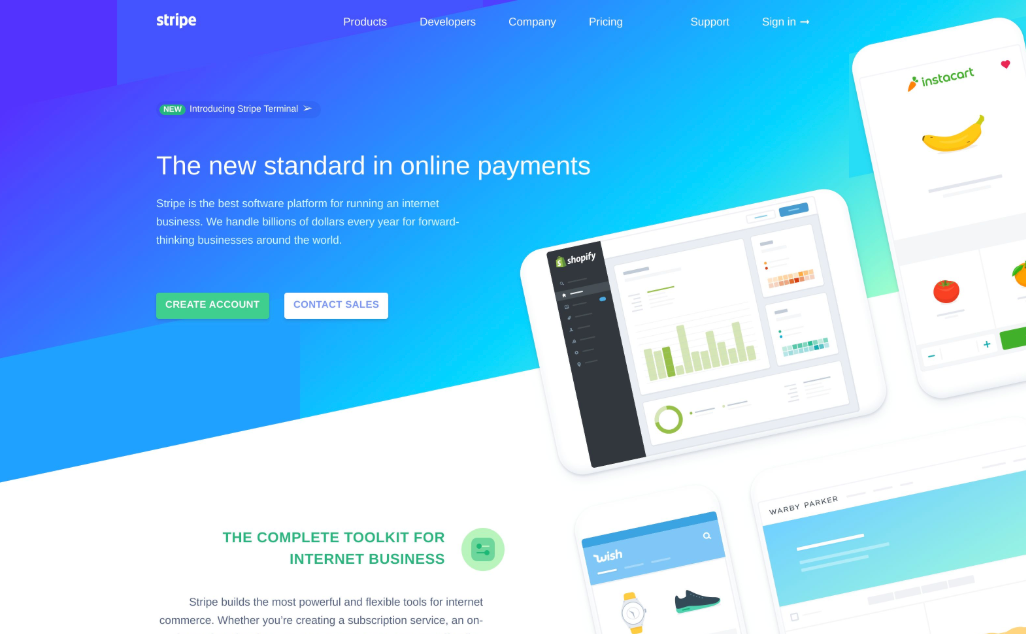
Section titled “Screenshot examples”A full screenshot of stripe.com. With device scale set to 2, for a super high resolution image.
Screenshot part of a page with selector
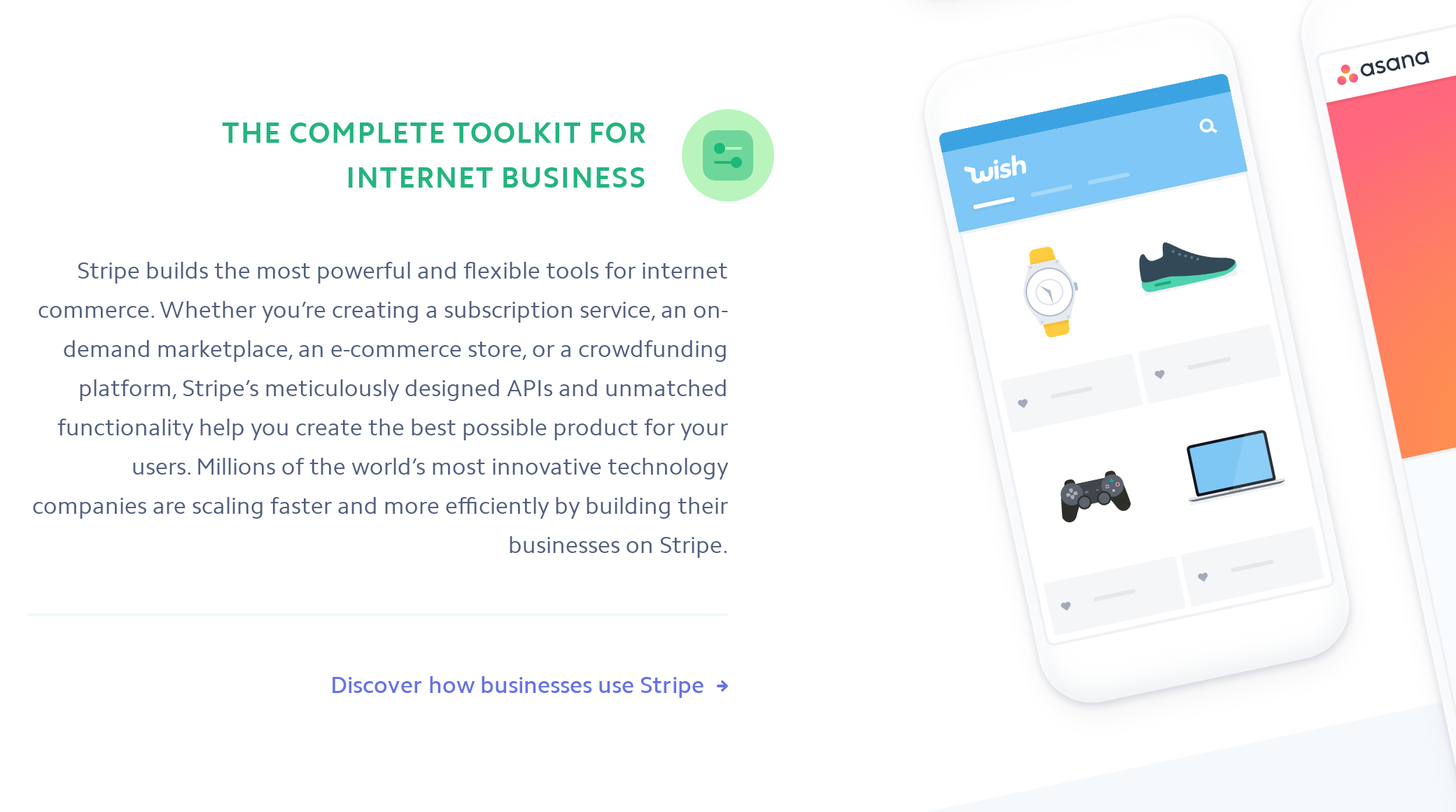
Section titled “Screenshot part of a page with selector”You can set a selector to target a specific part of the page.
For example, on Stripe’s homepage, there is an element with the CSS selector section#complete-toolkit.container-lg.
When passing that to the API, we crop to that element only.
CSS selectors
Section titled “CSS selectors”To learn about CSS Selectors, we recommend this article. There are also Chrome extensions that detect them for you, we like using: Selector Gadget.
Blocking cookie consent banners
Section titled “Blocking cookie consent banners”Many websites display cookie consent popups that can interfere with your screenshots. Use the block_consent_banners parameter to automatically hide these:
curl -X POST https://hcti.io/v1/image -u 'UserID:APIKey' \ --data-urlencode url="https://example.com" \ --data block_consent_banners=trueThis automatically detects and blocks common consent frameworks like OneTrust, Cookiebot, and others. For more advanced cases, see our complete guide to blocking cookie banners.
Pages requiring login or sign-in
Section titled “Pages requiring login or sign-in”The API does not automate an interactive login flow. For a page you are authorized to access, you can send a short-lived session cookie or authorization token using the headers parameter. Custom headers are restricted by origin; review those rules before including credentials.
Some sites have the option of creating an “embed” of a page. This is the best option if it’s available to you. You can then use the embed’s HTML to generate a screenshot without login.
Do you have an IP allowlist?
Section titled “Do you have an IP allowlist?”We don’t provide a static IP list. Our rendering servers scale dynamically on AWS, so the source IPs can change.
For a stable egress IP, configure an HTTP proxy and pass its proxy_id. For sites you control, see handling Cloudflare challenges and custom request headers. A public query flag such as ?hcti=1 does not authenticate a request and should not grant access to private content.
Need help getting started?
Section titled “Need help getting started?”We’d be happy to walk you through getting started. Send us an email: support@htmlcsstoimage.com. We’re experts at generating images and will help you get going using the API.