Webpage Screenshots
Capture any public webpage as a high-quality image.
Overview
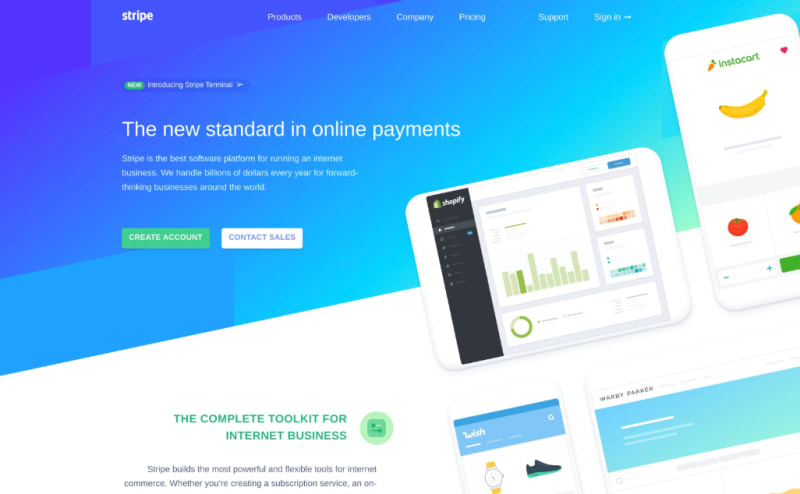
The HTML/CSS to Image API can capture screenshots of any publicly accessible URL. Pass a URL to the API, and get back a pixel-perfect screenshot rendered in a real instance of Google Chrome.
Basic usage
curl -X POST https://hcti.io/v1/image -u 'UserID:APIKey' \
  --data-urlencode url="https://stripe.com"
Common use cases
Website archival
Capture and preserve webpage snapshots for compliance, legal, or historical purposes.
Link previews
Generate preview images for links shared in your application, similar to how Slack or Twitter shows link previews.
Competitive monitoring
Automatically capture competitor websites to track design changes over time.
Documentation
Generate up-to-date screenshots for product documentation and tutorials.
Testing and QA
Capture screenshots during automated testing to verify UI changes.
Capture specific elements
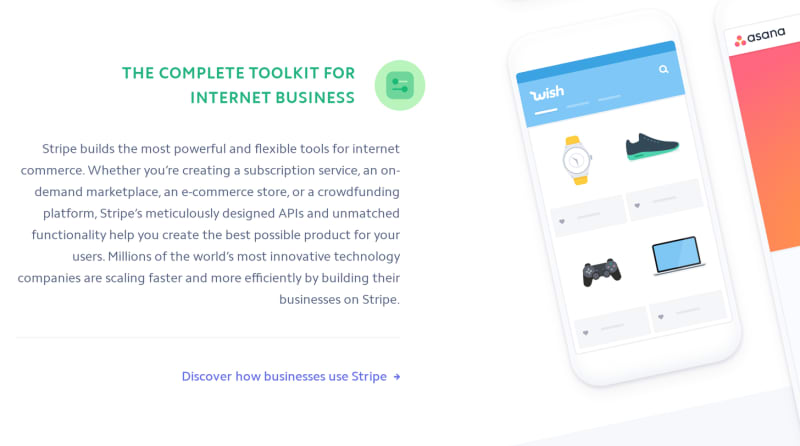
Use the selector parameter to capture just a portion of a page:
curl -X POST https://hcti.io/v1/image -u 'UserID:APIKey' \
  --data-urlencode url="https://stripe.com" \
  --data-urlencode selector="section#complete-toolkit"
Full-page screenshots
Capture the entire scrollable length of a page:
curl -X POST https://hcti.io/v1/image -u 'UserID:APIKey' \
  --data-urlencode url="https://example.com/long-page" \
  --data full_screen=true
Hide cookie banners
Many websites display consent popups. Use block_consent_banners to hide them:
curl -X POST https://hcti.io/v1/image -u 'UserID:APIKey' \
  --data-urlencode url="https://example.com" \
  --data block_consent_banners=true
Learn more about blocking cookie banners
High-resolution screenshots
Set device_scale to 2 for retina-quality images:
curl -X POST https://hcti.io/v1/image -u 'UserID:APIKey' \
  --data-urlencode url="https://example.com" \
  --data device_scale=2
Control the viewport
Set a specific viewport size for your screenshots:
curl -X POST https://hcti.io/v1/image -u 'UserID:APIKey' \
  --data-urlencode url="https://example.com" \
  --data viewport_width=1920 \
  --data viewport_height=1080
Wait for JavaScript
If the page needs time to fully render (e.g., charts, animations), add a delay:
curl -X POST https://hcti.io/v1/image -u 'UserID:APIKey' \
  --data-urlencode url="https://example.com" \
  --data ms_delay=1000
Inject custom CSS
Modify the appearance of the page before capturing:
curl -X POST https://hcti.io/v1/image -u 'UserID:APIKey' \
  --data-urlencode url="https://example.com" \
  --data-urlencode css=".banner { display: none; } body { background: white; }"
Social media screenshots
We have dedicated guides for capturing content from popular platforms:
Limitations
- The URL must be publicly accessible (no login-required pages)
- Private or authenticated content cannot be captured
- Some sites may block automated access
Need help?
Talk to a human. Please email us support@htmlcsstoimage.com with any questions and we’ll gladly help you get started.